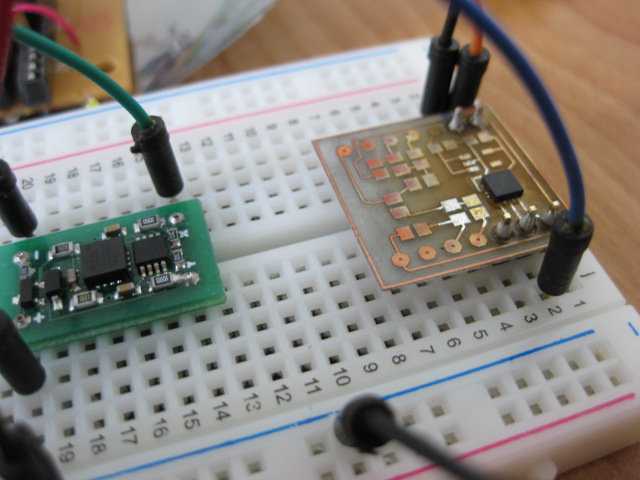
If you're into electronics sooner or later you will need to desolder something. Also, if you don't have the proper tools or skills you'll damage a component or two or even the PCB. Been there done that – desoldering braid, cheap one-shot mechanical pumps, running the soldering iron from one pin to another … until one day I decided to look for a good professional desoldering tool. First I purchased an all-in-one system that among the soldering iron and hot air, had a desoldering funtion. The pump was in the main unit and the desoldering iron was connected by a rubber tube. As it turns out these units have a typical design flaw – because the pump is so far away from the desoldering iron tip the suction is somewhat weak. Keep in mind that air is flexible so the longer the tube the more pressure is lost along the way. So if you're buying such a unit make sure the pump is really strong and has a gauge that will allow you to monitor the pressure. That unit has been returned and I am not even going to mention its name ! Then I came across Hakko 808 and until this day this is one of my favorite tools in my workshop. The suction power of this tool is amazing, easy to handle , heats up quickly , not very expensive. It requires regular maintenance (it's almost like a pet), but if you take care of it you'll save hours of work and many components and PCBs. Here is an example of what it can do, I received this LiPo charger with some terminal headers that I wanted to replace with different ones:
Archive for the ‘Benchmarks and Reviews’ Category
Exploring a digital I2C/SPI accelerometer (MMA7456L) with Bus Pirate
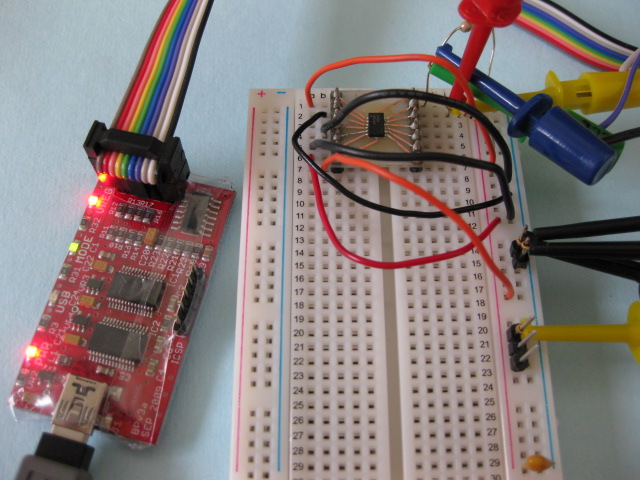
Bus Pirate is a great tool for exploring new chips using your PC , without the need to integrate the chip into a MCU project. Once I received my unit, i decided to put it to the test by exploring an accelerometer with I2C/SPI interface – the MMA7456L from Freescale. I am writing this in hope that it will help other people get started with BusPirate and I2C protocol in particular. I will only describe the I2C interface in this article but BusPirate is capable of so much more !
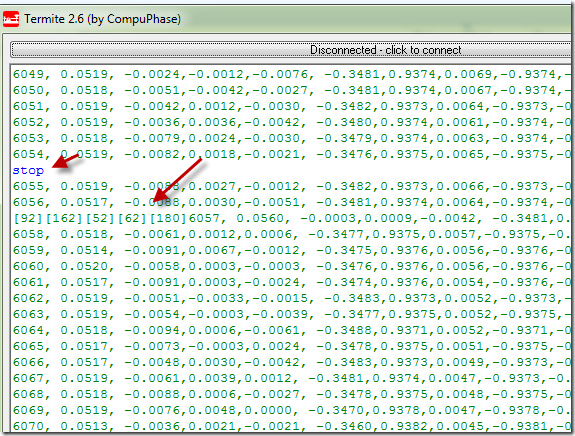
The setup of BusPirate was simple. Simply plug it to your USB port, install the FDTI driver (if necessary). After that it will appear as a virtual COM port on you computer. You then can use your terminal of choice to interact with it. Here is sample session in Termite (my choice of terminal software):

Accelerometer Experiments – Part 2: LIS331AL and DE-ACCM2G (ADXL322) . Filters, amplifiers and vibration response.
In a previous article I have analized 3 accelerometer side by side comparing their noise level. Today I am going to test a 3 axis accelerometer from ST LIS331AL. I am going to compare it with the DE-ACCM2G accelerometer from Dimension Engeneering.
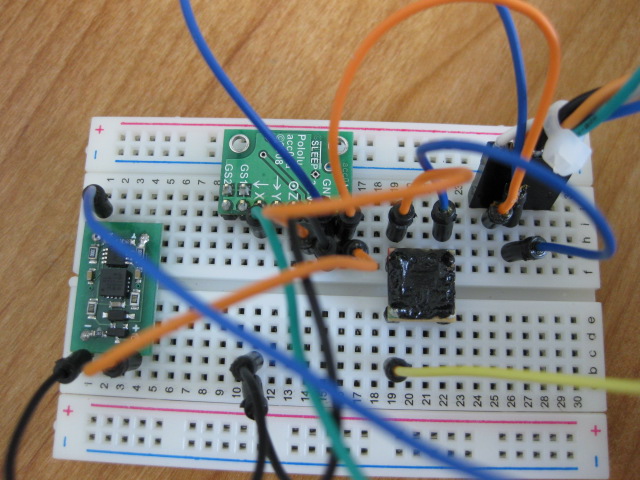
For testing purposes I have mounted the LIS331AL on a break-out board. If you're interested how this board can be done and device mounted make sure you read my article "DIY Surface Mount on a Budget".
I have connected both accelerometers to my USB Gamepad device and will be using the Gamepad Configuration Software to trace the signals (although an osciloscope could be used instead).
Accelerometer Experiments – Part 1: DE-ACCM2G (ADXL322), LIS244AL, Pololu MMA7260QT
In the process of developing my usb motion gamepad I got a chance to work with different accelerometers. In search of the perfect device I wish there was a place where I can go and compare them side by side. The problem is that different manufactures have different methods of testing the noise parameters so the only way to get it right is to have them tested by a third party. I will start by analyzing 3 accelerometers I have in my possession, and hope to review more as I get my hands on them.
The accelerometers I will test are:
1) Dimension Engineering DE-ACCM2G (this is the older model based on Analog Devices ADXL322 chip datasheet ). It is now being replaced by a different model DE-ACCM2G2 based on LIS244ALH chip from ST). This is a quality product that unlike other break-out boards has a built-in amplifier.
2) Second device is a bare-bone LIS244AL , a self-mounted using reverse mounting method (yes it still works ! :) ).
3) Finally is one of the cheapest accelerometer break-out boards out there the Pololu MMA7260QT.
Recently I completed my Gamepad Configuration Utility and decided to put to use for something it was not necessarily built for. I connected 3 accelerometers (to precize their X axis output) to the analog ports of PIC18F4550 (one of my gamepad prototypes "The Brick").